Loading
projects
Jumpstart: Cross-Platform Kiosk Runtime for Creative Coding
design-engineeringcreative-codinginstallation
- Role
- Creator & Maintainer
- Timeline
- Spring 2025 – Present
- Technologies
- ElectronNode.jsJavaScriptIPC & Context IsolationRaspberry Pi (ARM64)Linux / PipeWire
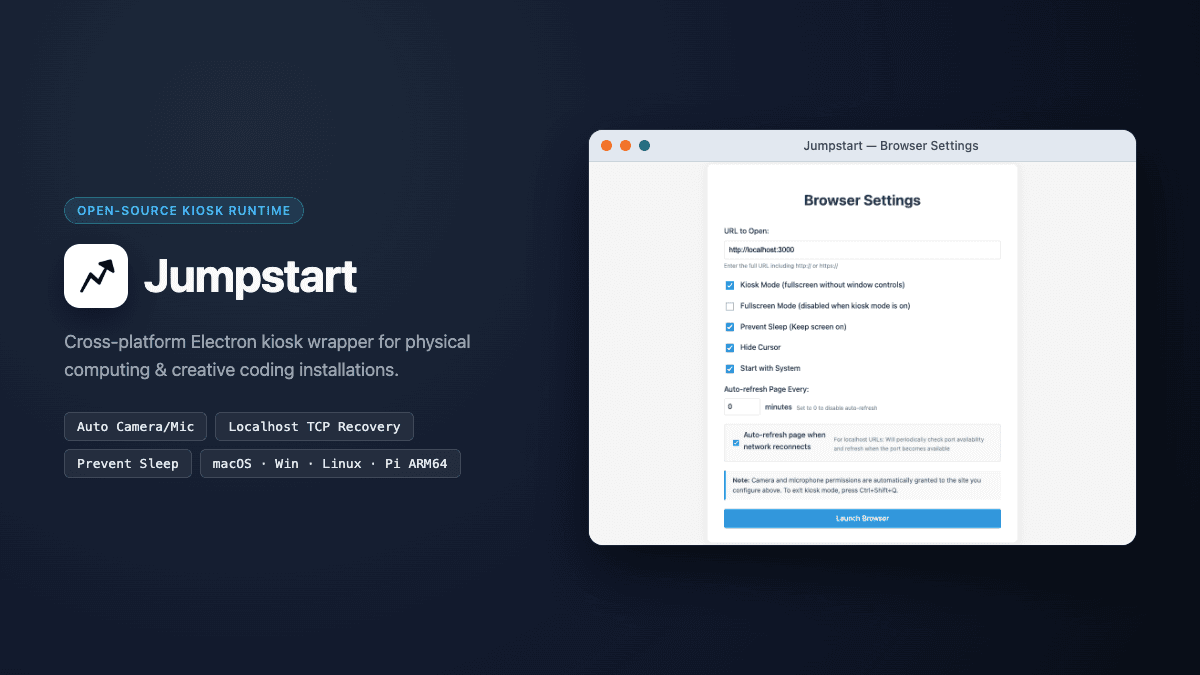
Jumpstart is an open-source, cross-platform Electron kiosk wrapper designed to turn any web-based creative coding sketch (p5.js, ml5.js, Three.js, WebGPU, or a local Node/Python server) into a resilient, self-healing exhibition appliance on macOS, Windows, Linux (x64/arm64), and 64-bit Raspberry Pi OS.
Presented at COSA × NYU: Machine Learning Tools for Creative Coding (March 2025), Jumpstart grew out of a recurring pain point in physical computing shows and gallery installations: browser-based sketches frequently break on unattended boot because a Chromium camera permission dialog steals focus, the OS blanks the display, or the browser launches two seconds before a local localhost server finishes binding its port.
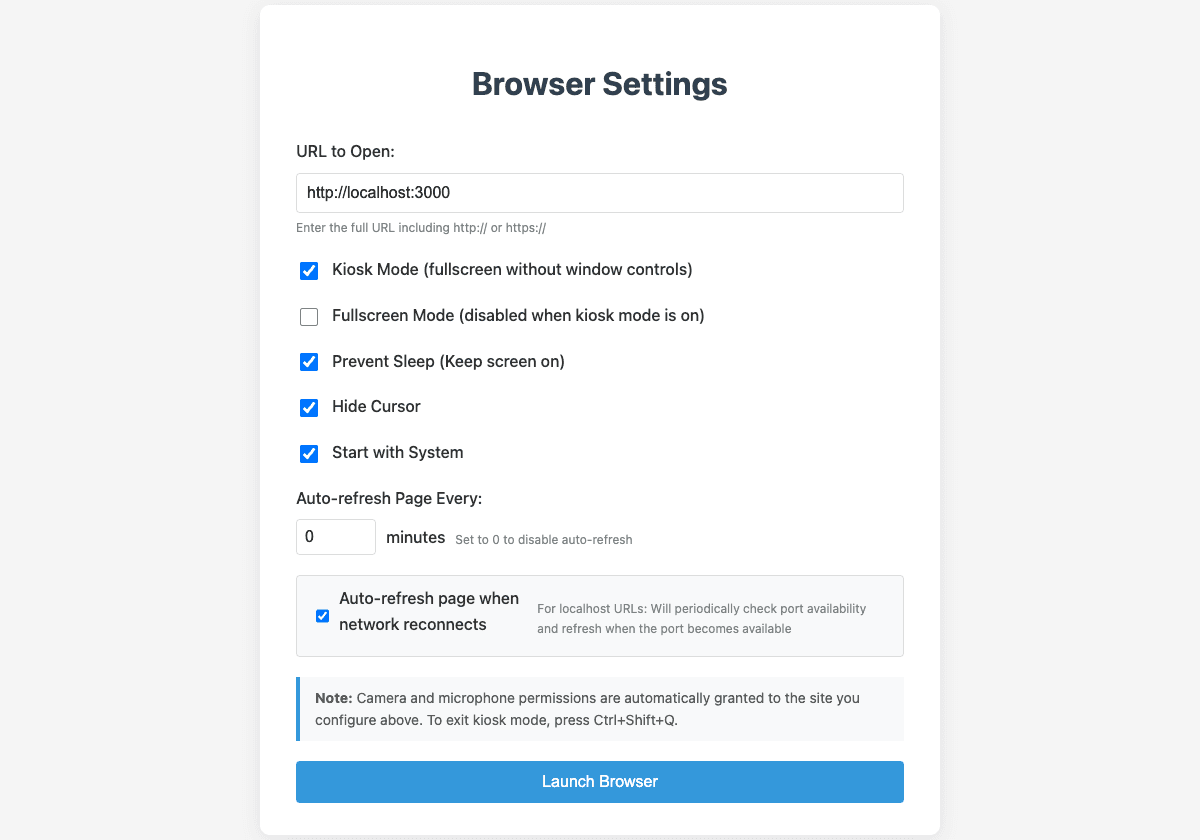
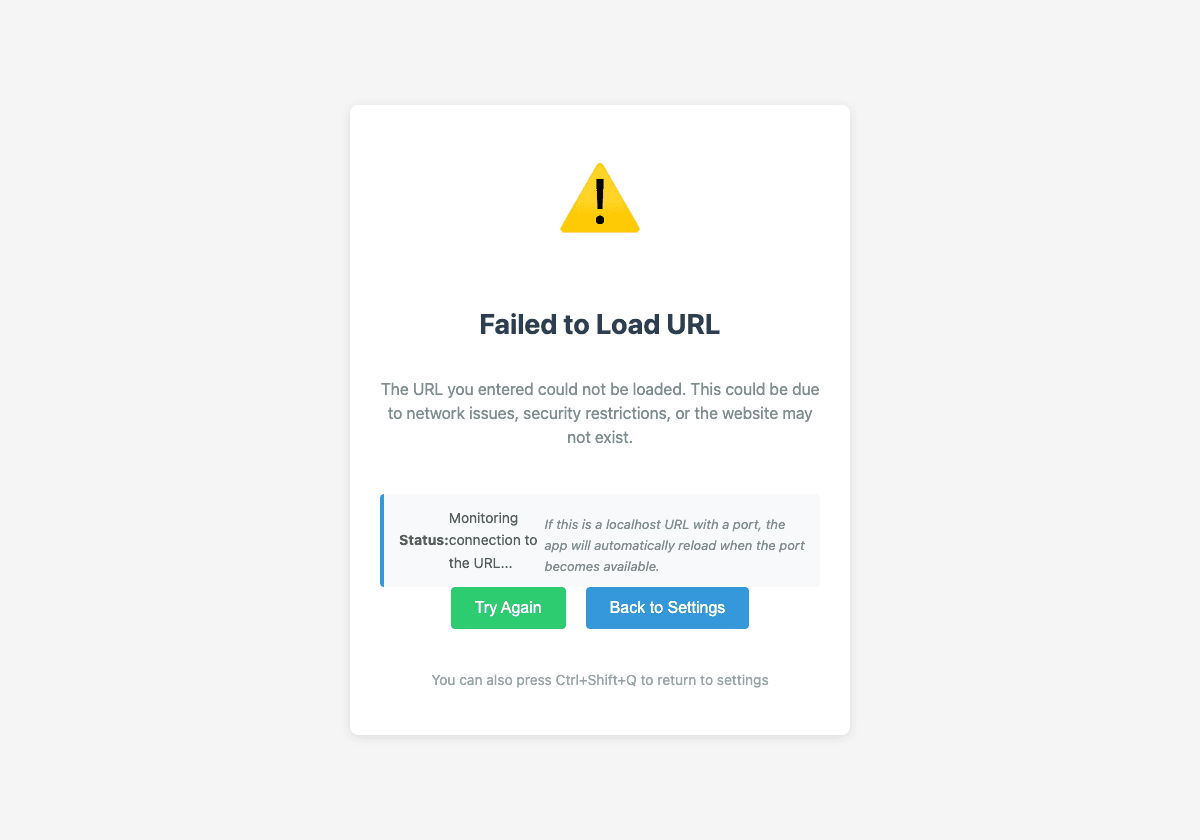
Jumpstart operator configuration interface (left) and automatic localhost/network recovery monitor (right)
Core Engineering Architecture
1. Origin-Scoped Camera & Microphone Auto-Grant (+ Linux PipeWire)
Interactive vision and audio installations built with ml5.js or WebRTC fail in unattended kiosk mode if the browser pauses to ask "Allow site to use your camera and microphone?"—especially on headless Raspberry Pi or projector setups without a mouse attached.
Rather than disabling web security globally, Jumpstart implements origin-scoped permission handlers (setPermissionRequestHandler and setPermissionCheckHandler) that automatically approve camera, microphone, and media requests strictly for the operator-configured trustedOrigin while rejecting cross-origin iframe escalation:
javascript
// src/main.js — Origin-scoped media permission auto-grant + Linux PipeWire flags
const MEDIA_PERMISSIONS = new Set(['media', 'camera', 'microphone']);

function setupLinuxCameraPermissions() {
  if (process.platform !== 'linux') return;
  app.commandLine.appendSwitch('enable-features', 'WebRTCPipeWireCapturer');
}

const isTrustedMedia = (permission, requestingUrl) => {
  if (!MEDIA_PERMISSIONS.has(permission)) return false;
  const requestingOrigin = getOriginFromUrl(requestingUrl);
  return Boolean(trustedOrigin && requestingOrigin === trustedOrigin);
};

contentSession.setPermissionRequestHandler((webContents, permission, callback, details) => {
  const requestingUrl =
    (details && (details.requestingUrl || details.embeddingOrigin)) || webContents.getURL();
  callback(isTrustedMedia(permission, requestingUrl));
});
On Linux and Raspberry Pi OS (Bookworm/Wayland), Jumpstart also appends --enable-features=WebRTCPipeWireCapturer prior to app.whenReady() and injects Permissions-Policy: camera=(self), microphone=(self) headers on responses from the trusted origin so navigator.mediaDevices.getUserMedia() works out of the box.
2. Self-Healing Localhost TCP Probe & Network Reconnection (monitorNetworkStatus)
In many exhibition setups, the visual frontend connects to a local Python, TouchDesigner, or Node.js server (http://localhost:3000 or http://127.0.0.1:8000) that takes several seconds to initialize after the machine boots.
If the initial load fails—or if the renderer process crashes (render-process-gone)—Jumpstart transitions to a local diagnostic screen (error.html) and starts a 5-second health monitor tailored to the target URL type:
- Localhost Targets (
localhost,127.0.0.1,::1): Opens a rawnet.Socket()TCP connection probe against the target port (1000mstimeout). As soon as the local server binds its port, Jumpstart waits2000msfor service warm-up and callswindow.loadURL(targetUrl)to transition directly into the live installation. - Remote HTTPS/HTTP Targets: Dispatches lightweight
HEADrequests (5000mstimeout) and automatically reloads the exhibition URL3000msafter Wi-Fi or Ethernet connectivity returns.
javascript
// src/main.js — Raw TCP socket port polling for localhost creative coding servers
const checkLocalPort = (port) => {
  return new Promise((resolve) => {
    const socket = new net.Socket();
    const timeout = setTimeout(() => {
      socket.destroy();
      resolve(false);
    }, 1000);

    socket.connect(port, '127.0.0.1', () => {
      clearTimeout(timeout);
      socket.destroy();
      resolve(true);
    });

    socket.on('error', () => {
      clearTimeout(timeout);
      socket.destroy();
      resolve(false);
    });
  });
};
3. Native Cross-Platform Autostart & Display Sleep Inhibition
To ensure an installation recovers automatically after a gallery power cycle without manual intervention across heterogeneous hardware:
| Platform | Autostart Mechanism (configureAutoStart) | Display Sleep & Cursor Control |
|---|---|---|
macOS (.dmg / .zip) | Generates ~/Library/LaunchAgents/com.Jumpstart.plist (RunAtLoad) + launchctl load | powerSaveBlocker.start('prevent-display-sleep') + dom-ready CSS cursor: none !important |
Windows (NSIS / Portable .exe) | Resolves PORTABLE_EXECUTABLE_FILE and writes a Startup .lnk shortcut via PowerShell WScript.Shell | powerSaveBlocker + global Ctrl+Shift+Q kiosk escape shortcut |
Linux & Raspberry Pi (x64 / arm64) | Resolves APPIMAGE or binary path and writes ~/.config/autostart/Jumpstart.desktop (X-GNOME-Autostart-enabled=true) | powerSaveBlocker + X11 DPMS fallback (xset s off -dpms) |
4. Privilege Separation Between Operator Settings & Remote Content
Because Jumpstart can load arbitrary remote URLs in its kiosk window, the Electron architecture enforces strict privilege separation between the local operator settings window (mainWindow) and the kiosk browser window (browserWindow):
- Settings Window (
preload.js): Runs withcontextIsolation: true,nodeIntegration: false, andsandbox: true, exposingsaveSettingsandloadSettingsover IPC. - Kiosk Content Window (
preload-content.js): Uses a minimal preload script that strips settings and OS-autostart APIs, blockswindow.openpopups (setWindowOpenHandler(() => ({ action: 'deny' }))), restricts navigation tohttp:andhttps:protocols, and verifiesevent.sender === mainWindow.webContentsinsideipcMain.on('save-settings')as defense in depth.